How to Choose a Wedding Invitation Design in Five Questions
Key Takeaway
Formality, venue, season, palette, personality: five questions that narrow a wedding invitation design to the right one, with template suggestions for each.
1. How formal is the day?
This is the first question because it decides the typography, and typography does most of the work in an invitation.
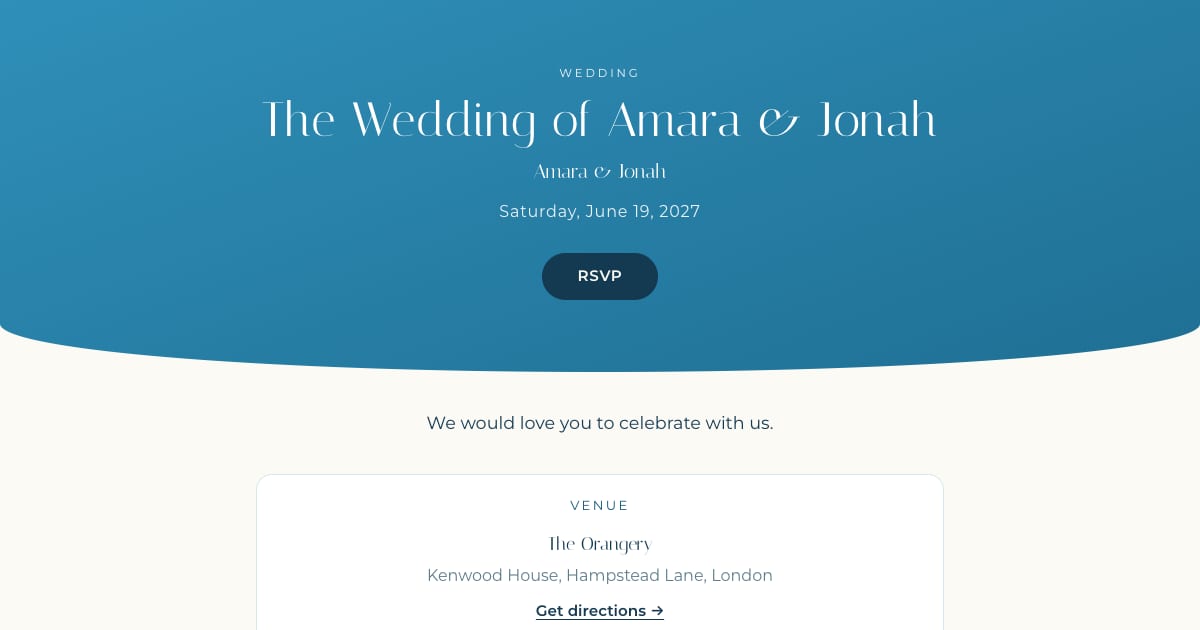
- Black tie or a traditional ceremony: a high-contrast serif on a framed plate. On Bloomvite that is Engraved (Bodoni, letterpress plate, lozenge dividers) or Gilded (deco gold on black) for an evening gala feel.
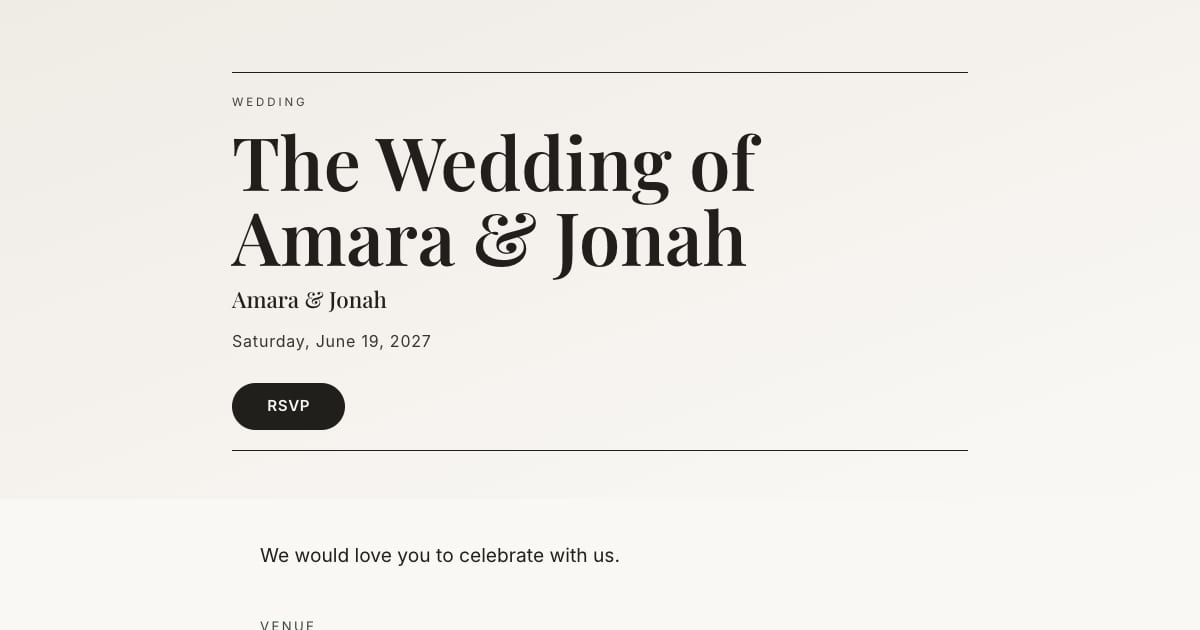
- Cocktail attire, city venue: an editorial serif with a clean sans for details. Editorial (Playfair Display and Inter, masthead rules) or Atelier (Fraunces, hairline rules, quiet).
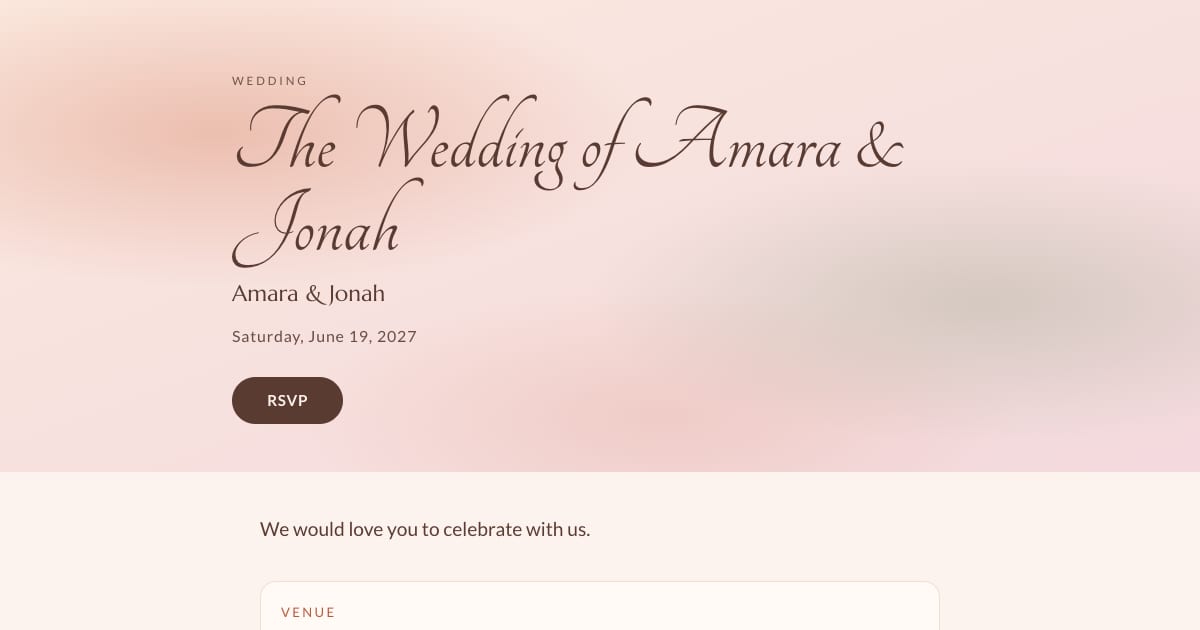
- Relaxed, garden or barn: softer serifs or hand-lettering. Fine Art Laurel (Cormorant, arched sage), Fieldnote (kraft, Caveat), Aquarelle (watercolor, script names).
2. Where is it?
The venue tells you the texture. A hotel ballroom wants something polished and framed. A vineyard or garden wants botanical softness. A warehouse or gallery wants bold type and white space. A beach or coastal villa wants light and blue.
- Ballroom, historic house: Engraved, Gilded
- Garden, vineyard, orchard: Fine Art Laurel, Aquarelle
- Barn, backyard, farm: Fieldnote
- Gallery, loft, restaurant: Statement, Atelier, Editorial
- Coast, villa, destination: Amalfi
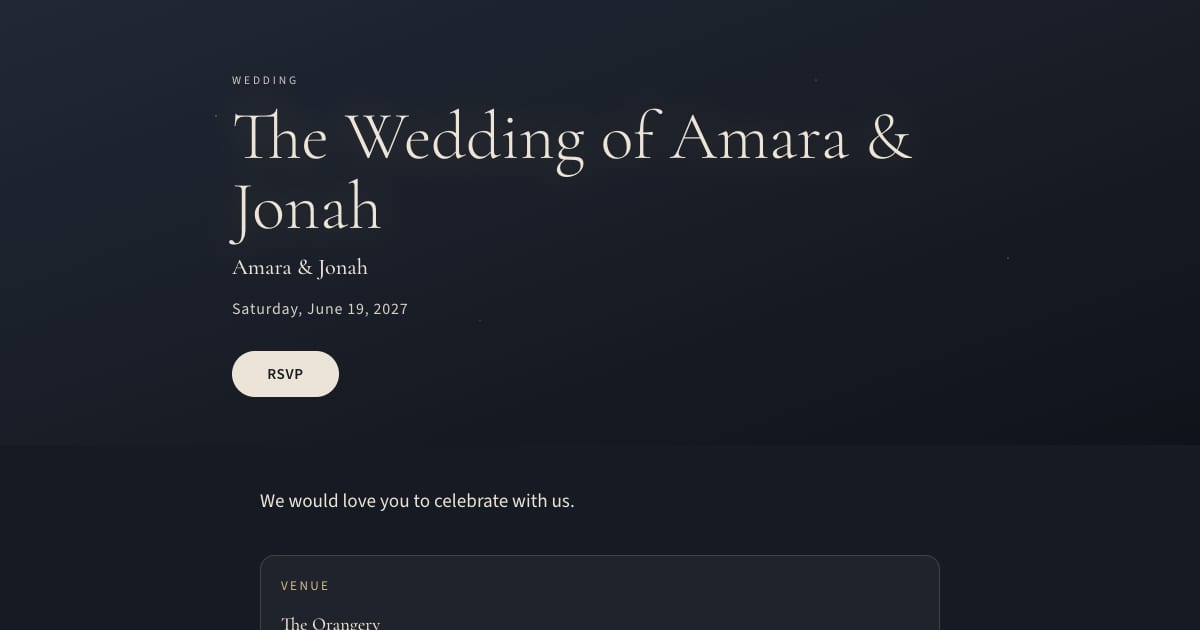
- Evening, candlelit, winter: Midnight Bloom
3. What season?
Season nudges the palette. Spring and summer take pale sage, blush, and azure. Autumn takes terracotta, ochre, and forest. Winter takes midnight, burgundy, and gold. You do not have to obey this, but if your design fights the season it will look slightly off in the photos. On Bloomvite the accent color is a single choice on any template, so a spring template with an autumn accent is one click.
4. What is your palette?
You probably already have two or three colors from the florist or the bridesmaids. The invitation should use one of them as an accent, on a neutral ground. Invitations with three competing colors look busy at phone size.
Practical rule: pick the darkest of your colors as the accent. Light accents (blush, sage, pale blue) fail readability as text, and any decent tool will refuse to set them on body copy. Bloomvite offers six vetted accents that pass contrast on every template, and if you type a custom hex that fails it keeps the template's curated shade for text and uses yours for decoration.
5. What are you like?
This decides the wording and the photo, not the template. Quiet and traditional: formal wording, no photo or a black-and-white one. Warm and hosting-minded: relaxed wording, a candid engagement photo. Bold: names set huge, a short line, a strong photo. The wording examples in digital wedding invitation wording are grouped this way.
The mistakes to avoid
- Changing the fonts. A designed template already has a font pair that works. Change the pair only if you have a reason (an editorial serif for a city wedding, say), not because you can.
- A photo that fights the template. A busy, bright photo on a letterpress plate looks wrong. Use a photo with space in it, or none.
- Too many sections. Story, schedule, travel, registry. That is enough. Guests read on phones.
- Ignoring the phone. Preview on a phone before sending. A live preview that is the real invitation, as in Bloomvite's builder, removes the surprise.
- Choosing by browsing hundreds. More choice does not produce a better invitation; it produces a tired couple. Ten strong templates and five questions is faster and ends better.
Ready to look? The templates page lists all ten with who each is for. Or answer two questions inside the builder and it picks a starting look.
Frequently asked questions
Should the wedding invitation match the wedding website?
Serif or sans-serif for a wedding invitation?
Should I use a photo on the invitation?
How many colors should a wedding invitation have?
Can I change templates after I start?
Bloomvite limits and sharing
Bloomvite is free for one event and up to 50 people, including plus-ones and children, with all ten templates and no watermark. You share guest links yourself by text, WhatsApp or your own email. Pro is $39 per event for up to 300 people and adds invitation emails and automatic RSVP reminder emails, envelope reveal, seating, CSV import and QR check-in. Large event is $79 for up to 1,000 people. Guests need no account or app to RSVP.
Automatic RSVP reminder emails are a Pro and Large event feature. They target eligible pending guests with an email address while the published event is open for replies, subject to sending limits. They are not automatic texts. Follow up manually with guests who have no eligible email address. See current pricing and RSVP features.
Pick a look. Make it unmistakably yours.
Free for one event and up to 50 people, including plus-ones and children. Paid features require Pro or Large.
Create your invitation, free